
Prehistoric Farm Fossil Sets: How to Complete a Set and Trade It for an Egg
How Prehistoric Farm fossil sets work: how the collection menu counts each period's pieces, when a set is complete, and how to trade it at Dr. Ivy's DNA Lab for a dinosaur egg.
A fossil set in Prehistoric Farm is the collection needed to restore one animal, organized under geological periods in the fossil menu, and finishing one is the requirement that connects digging to dinosaur eggs: collect every piece in a period's set, carry it back to the home island, and trade it at Dr. Ivy's DNA Lab for that animal's egg. The fossil collection menu tracks your count the whole way, and the set flags Ready to extract DNA the moment the last piece is dug.
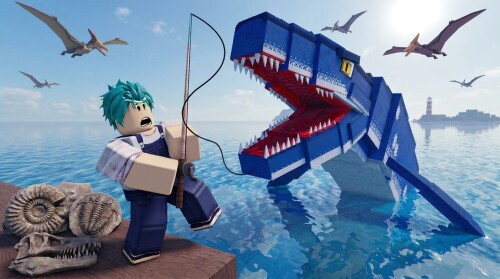
What a fossil set is
The collection menu organizes sets by geological period: Cambrian, Devonian, Triassic, Jurassic, Cretaceous and Cretaceous seas. Each set builds toward one animal — the menu lists a period's animals and the fossils needed for each. In one recorded session, the player working toward a Tiktaalik put it plainly: "I need to get all the fossils for it."
The clearest evidenced example is the Cambrian set, which is six pieces. Partway through, the counter reads "three out of six", with finds like Hallucigenia and Pikaia among the pieces collected (animal names vary in the recorded footage's transcription). Six is the confirmed size for the Cambrian set; for every other period, the menu itself shows the exact piece count and lists the undiscovered pieces, so you can always tell what is missing without an outside list.
How set completion is counted
The collection screen does the bookkeeping for you:
- Every piece you dig updates the running counter for that period's set — "three out of six", then "we need three more for DNA", then "two more".
- Undiscovered pieces stay listed in the menu, so the missing slots are always visible.
- When the final piece comes out of the ground, the set flips to Ready to extract DNA — that flag is the game's confirmation that the set is complete.
The practical loop is simple: dig, open the collection menu to see what's still missing, then keep digging on the matching island.
How to dig the missing pieces
The game's own instruction: "Grab your shovel and hold down on a dig site. Let go when the meter is in the green for a better find!" Releasing inside the green window improves the find, and the meter is covered in more detail on the digging timing page.
- Not every dig pays out. Dig spots can return "No fossil", so filling a set means repeated attempts rather than one lucky swing — in the recorded session, misses were frequent enough that the player dug spot after spot between finds.
- Dig on the matching island. Pieces come from the island of their period: Cambrian fossils from the Cambrian island, Devonian fossils from the Devonian island, and so on. The dig sites and fossil islands pages cover what each island holds.
- Later islands are shovel-gated. In the recorded session, the player could not dig anything on the Devonian island until buying the bronze shovel — reached around level 6 with roughly 2,900 coins saved. If dig spots on an island refuse to break, a better shovel is the fix.
Where to turn in a complete set
A complete set cannot be used where you found it. When the set flagged Ready to extract DNA, the recorded player first checked whether extraction worked on the spot — "Can you just extract it like from here or do you have to go to a certain NPC to do it?" — and concluded the set has to be carried to the fossil station. The turn-in works like this:
- Sail back to the home island. The set stays in your collection until it is traded.
- Find Dr. Ivy's DNA Lab. The official description names it as the place where unearthed fossils are turned into eggs. On the station itself, the interaction appears as the prompt Trade fossils for an egg — the prompt never names the NPC, so Dr. Ivy's naming comes from the game's own text.
- Trade the set. The trade consumes the fossils and produces that animal's egg: in the recorded session, the finished Tiktaalik set became a Tiktaalik egg on the spot. More on the lab's role is on the Dr. Ivy page.
One limit worth knowing: the recorded session shows a single completed trade. Whether the same set can be traded again for more eggs, and what happens to surplus or duplicate fossils afterward, is not shown — so treat "one set, one egg" as the demonstrated rule.
What follows the trade
From traded set to newborn dino, the chain shown in play:
- Incubate. Place the egg in the incubator — official guidance is to "warm your egg in the incubator and watch it hatch". The recorded Tiktaalik egg showed "Hatches in 2 minutes and 30 seconds"; that time comes from one species in one session, so expect it to vary.
- Collect. Once the egg is ready, pick it up at the hatchery.
- Place and feed. Put the newborn on your ranch and keep it fed — the official tip is to keep "your dino's belly over half full so it keeps growing".
From there the dino grows from Newborn toward a rideable Elder, with the egg side of the loop detailed in DNA restoration and dinosaur eggs. While you are saving coins for shovel upgrades and a faster boat, it is also worth a quick look at the Prehistoric Farm codes page.
Related Guides
Dig Sites: Where to Find Them and Start Digging
Dig sites sit on offshore islands, not at spawn \u2014 reach them by boat and start digging the right way.
Digging Timing: Time the Meter for a Better Find
Release in the green for a better find: how the timing meter reacts and what observed digs show.
Dr. Ivy: Where to Find Her and Trade Fossils
Where the restoration NPC stands, the complete-set requirement she checks, and exactly what the trade hands you.
Incubator: How to Hatch an Egg
Where the incubator stands, how to start a countdown, real hatching times, and hatchery pickup for your newborn.